View Data Storage
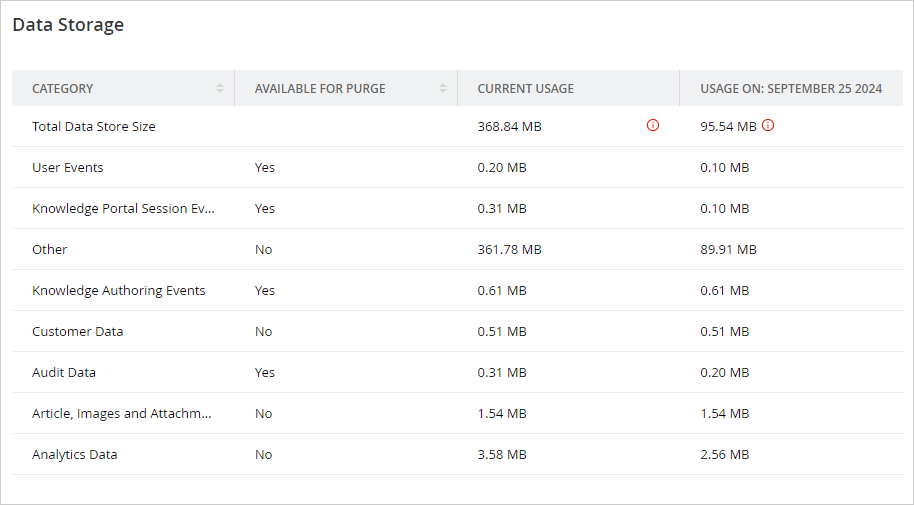
Partition administrators can view the total data store size in use and the amount of space used by objects from the Data Storage node under Storage.
To view data storage:
-
From the Partition and Departments dropdown menu, go to the partition space.
-
From the Navigation menu, browse to Storage > Data Storage.
-
On the Data Storage page, you can view the following details:
-
Category: The list of objectsfor which you can view the storage usage details. .
-
Available for Purge: Displays whether the object is available to be purged or not.
-
Current Usage: Current data usage of an object.
-
Usage On: Data used on the date mentioned on the screen.
-
Total Data Store Size: Total size of the allocated space
-