Training your AI Agent
After configuring the sources for your AI Agent, you are prompted to train your AI Agent so that it can determine the scope of the content and generates relevant topics and sub-topics. The training of the AI Agent is indicated by a progress bar.
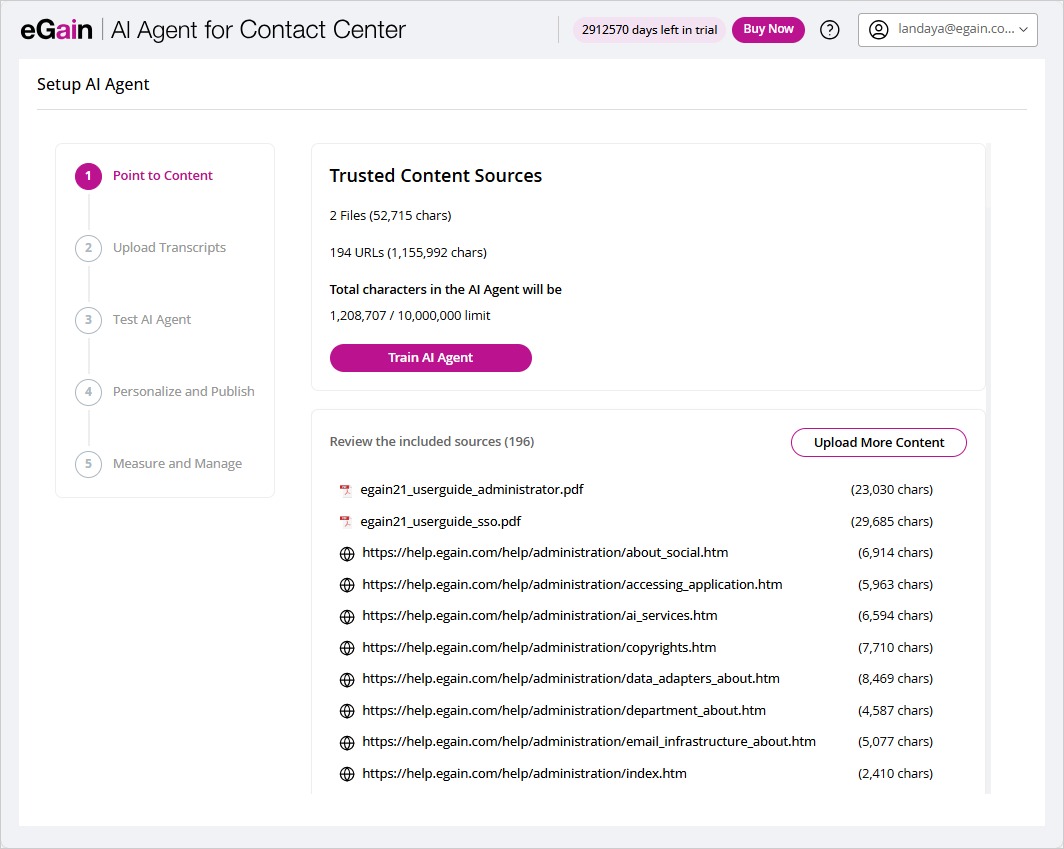
You can also upload more content by clicking the Upload More Content button.
Uploading Transcripts
The Upload Transcripts feature allows you to provide example training data that the AI Agent can use for classification. By uploading transcripts, you enable the system to analyze real conversational data and accurately map it to the correct topics and subtopics.
To get started, you can download and review the sample training files provided:
-
CSV Example: A structured file containing multiple training transcripts for classification.
-
TXT Example: Multiple transcripts in a single line in plain text format.
These examples demonstrate the format and structure expected when uploading transcripts. The AI Agent then leverages the uploaded examples to build stronger associations, improving accuracy in detecting and categorizing topics during interactions.
To upload transcripts:
- In the Upload Transcripts step, click the Browse Files button or drag and drop your files to upload the transcript.
- Once the transcript has been uploaded, click the Proceed with Mapping button to analyze the chat transcript.
- Click the Proceed to Next Step button to test your AI Agent.