Reviewing and Setting Model Version Testing Criteria
The intent engine performs the testing of the intents contained in each model version. Testing is done to determine the Virtual Assistant’s confidence in being able to match a particular utterance with a specific intent, also known as a confidence level.
When creating a new model version or updating an existing model version, you need to determine the percentage of the intents that you wish to test, and then review the intents that you want the Virtual Assistant to use.
Setting the Model Version Testing Percentage
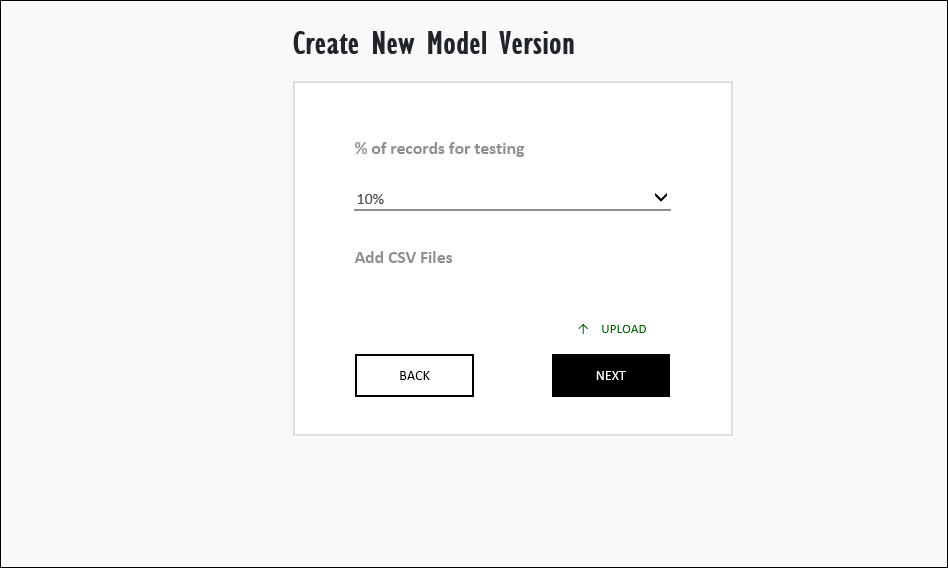
The testing percentage is a value that determines which percentage of the intents contained within the CSV file will be tested by the intent engine. You can select from a set list of percentage values (0%, 10%, 15%, 20%, 25%, and 30%).
For CSV files that contain large amounts of both intents and utterances, it is recommended that you select 30% as your testing percentage to increase the accuracy of the test. Note that you must select a value other than 0% for the test to run.
Reviewing the Intents
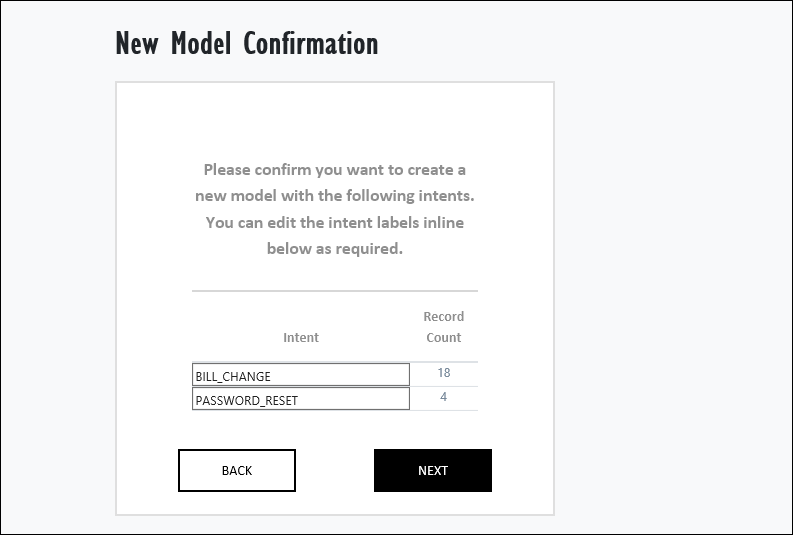
You will also need to review your intents before you test them. The intents that are going to be tested are displayed in the left-hand column of the chart contained in the New Model Confirmation window with the number of times that each intent appears displayed in the right-hand column. You can edit each intent by clicking on it in the left-hand column.
Related Topics