Configuring Knowledge Orchestration Settings
Select Settings in the upper right of the Knowledge Orchestration page to configure how questions are ranked and how gaps are defined.
Ranking customization
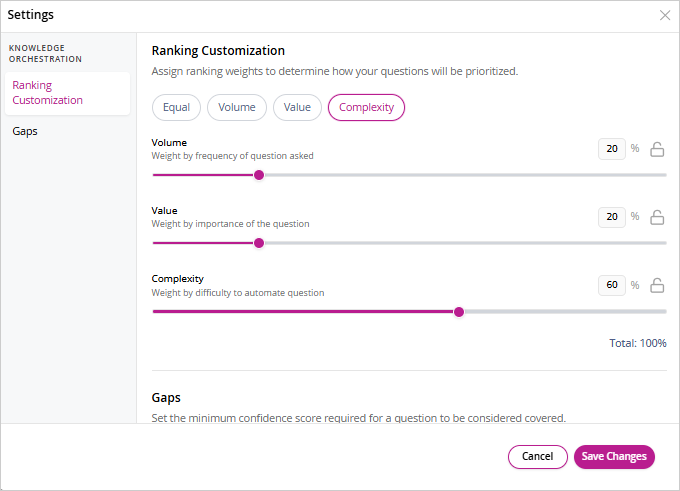
The ranking score for each canonical question is computed from three weighted dimensions. The total weight across all three must always equal 100%; adjusting one slider redistributes the remaining percentage across the others.
-
Volume: Weight applied based on how frequently the question was asked.
-
Value: Weight applied based on the business importance score set by the knowledge manager.
-
Complexity: Weight applied based on the difficulty of automating or documenting a robust answer.
Use the preset shortcuts — Equal, Volume, Value, or Complexity — to apply a predefined weight distribution quickly.
Gaps
The Answer Confidence Score threshold determines the minimum confidence a portal answer must reach for a question to be considered covered. Any question whose instant answer falls below this threshold is flagged as a gap. The threshold is shown as a slider with the gap and covered ranges labeled.
Select Save Changes to apply any updates to ranking weights or the confidence threshold.
Related Topics